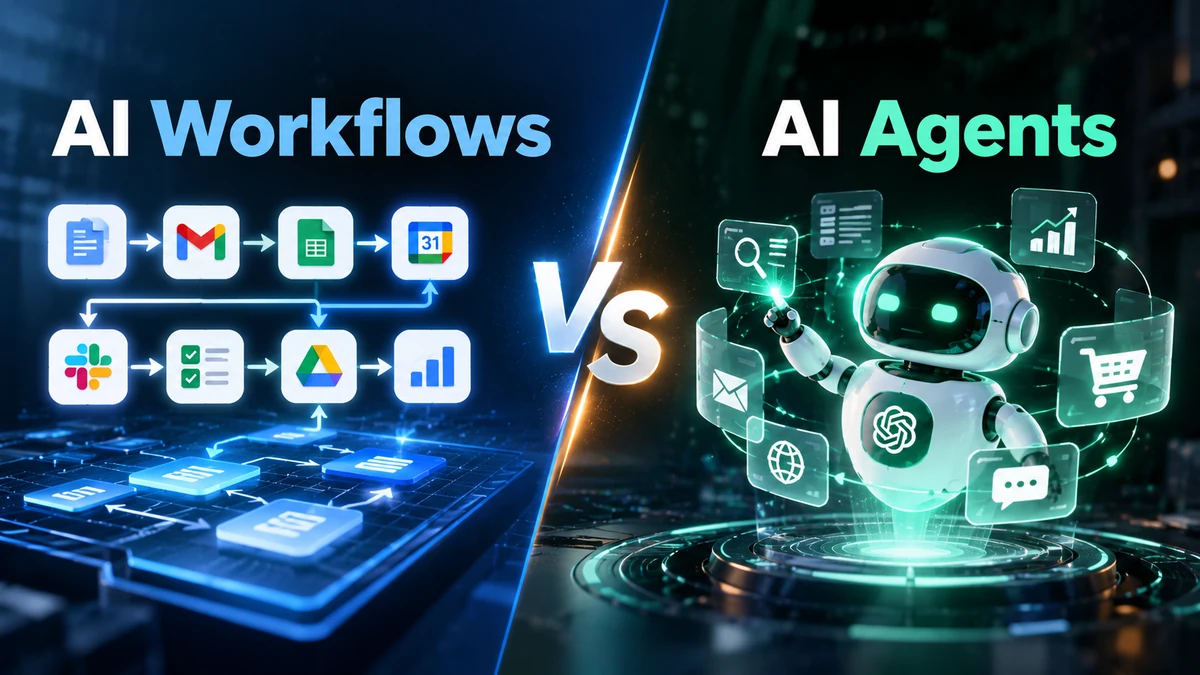
An AI workflow follows a process you define. An AI agent works toward a goal and can decide which actions to take along the way.
Both can use artificial intelligence.
Both can automate tasks.
But they give AI different levels of control.
In an AI workflow, you define the process.
With an AI agent, the system has more freedom to decide what to do next.
Understanding this difference can help businesses choose the right approach.
AI Workflows vs AI Agents at a Glance
| AI Workflow | AI Agent | |
| Main input | A process or trigger | A goal or task |
| Who defines the path? | Developer or business | AI can determine parts of it |
| Process | Mostly predefined | Can change during execution |
| Predictability | Higher | Lower |
| Flexibility | More limited | Higher |
| Best suited for | Repeatable processes | Variable tasks |
| Control | More explicit | More delegated |
These are broad distinctions. Real systems can combine both approaches.
In fact, current Microsoft guidance describes workflows and agents as points on a spectrum. A workflow can provide the structure while agents handle reasoning-heavy steps.
What Is an AI Workflow?
An AI workflow is a series of connected steps where AI performs one or more parts of a process.
Think of it like a recipe.
You decide what happens first.
Then you decide what happens next.
AI may interpret information or generate something during the process.
But the overall path remains defined.
Simple example
Imagine a company receives customer emails.
The workflow might look like this:
Customer email
↓
AI reads the message
↓
AI identifies the request
↓
Create support ticket
↓
Send it to the support team
The AI helps understand the email.
The workflow controls what happens afterward.
That is an AI workflow.
IBM describes AI workflows as structured processes where AI can perform, coordinate, or enhance business tasks.
What Is an AI Agent?
An AI agent is a software system that uses AI to pursue a goal and take actions.
Instead of giving it every step, you can give it an objective.
For example:
Research this potential customer and prepare a report.
The agent might:
- Search approved sources.
- Find relevant information.
- Decide which information matters.
- Look for missing details.
- Organize the findings.
- Create the report.
The exact path can change based on what the agent discovers.
Google Cloud describes AI agents as systems that pursue goals and complete tasks with reasoning, planning, tool use, and some degree of autonomy.
The Biggest Difference: Who Decides What Happens Next?
This is the easiest way to remember the difference.
AI workflow
You define the path.
Trigger → AI step → Defined action → Result
AI agent
You define the goal.
Goal → AI decides → Action → Check result → Next action
The agent can repeat this process until it reaches the goal or needs human help.
Microsoft’s current agent framework makes this distinction directly: workflows provide explicit execution paths, while agents can decide what to do next.
A Simple Real-World Example
Let’s use customer support.
Suppose a customer writes:
“My order arrived damaged. Can I get a replacement?”
With an AI workflow
The process could be:
Email received
↓
AI identifies “damaged order”
↓
Create support ticket
↓
Send ticket to support
↓
Human handles the case
The steps are known before the workflow starts.
With an AI agent
The agent could receive a broader goal:
Help resolve this damaged-order request.
It might:
Read the customer’s message
↓
Find the order
↓
Check the order information
↓
Check the replacement policy
↓
Determine what information is missing
↓
Ask the customer if needed
↓
Prepare the next action
↓
Escalate to a human when required
The agent has more freedom to decide which action comes next.
That is the important difference.
AI Workflows Are Not “Basic AI”
This is an important point.
An AI workflow can still use powerful AI.
It can:
- Understand natural language
- Summarize documents
- Extract information
- Classify requests
- Generate content
- Analyze text
- Process unstructured information
The difference is not how intelligent the AI model is.
The difference is how the process is controlled.
An AI model inside a predefined workflow does not automatically make the entire system an AI agent.
The architecture matters.
IBM’s current AI workflow guidance also covers everything from simple AI-assisted steps to multi-agent workflows.
When Should You Use an AI Workflow?
An AI workflow usually makes sense when the process is already clear.
For example:
New lead → AI qualification → CRM → Sales notification
Or:
Invoice → AI extracts details → Accounting system
Or:
Meeting → AI summary → Tasks → Team notification
The process has known stages.
You want those stages to happen consistently.
Microsoft’s current documentation recommends workflows when you need explicit control over execution order and predictable orchestration.
When Should You Consider an AI Agent?
An AI agent becomes more useful when the goal is clear but the path can change.
Consider this task:
Research five competitors and prepare a comparison.
You may not know beforehand:
- Which sources will contain useful information.
- Which pages will be relevant.
- What information is missing.
- Which searches are needed.
- Which tools should be used.
An agent can adapt its actions based on what it finds.
This is where agent-style systems can provide more flexibility.
Google Cloud describes this combination of reasoning, planning, tools, and autonomy as a core part of AI agents.
AI Workflow vs AI Agent: A Business Example
Imagine you run an online store.
You want to handle customer questions.
AI workflow
Customer question
↓
AI classifies the question
↓
Find the appropriate category
↓
Create support ticket
↓
Send to the right team
This is a controlled process.
AI agent
Customer question
↓
AI understands the customer’s goal
↓
Checks available information
↓
Decides what information it needs
↓
Uses available tools
↓
Checks the result
↓
Takes the next appropriate action
↓
Responds or escalates
The agent has more freedom during execution.
That flexibility also means you need stronger boundaries.
What Is an Agentic Workflow?
This is where the distinction becomes more interesting.
You don’t always have to choose:
Workflow OR Agent
You can combine them.
An agentic workflow can use an AI agent inside a larger structured process.
For example:
New customer
↓
Fixed workflow
↓
AI agent researches the customer
↓
Human approval
↓
CRM update
↓
Notification
The workflow controls the larger process.
The agent handles the part that requires flexible reasoning.
Current Google Cloud and Microsoft documentation both describe architectures that combine agent capabilities with structured workflows.
Why Not Use an AI Agent for Everything?
Because more autonomy does not automatically mean a better solution.
Consider this task:
When a customer submits a contact form, add the information to the CRM.
You already know what needs to happen.
There is no reason for an AI agent to decide the next step.
A simple workflow can handle it.
Microsoft’s current guidance makes a similar point: use simpler patterns when they meet the requirement, because they are easier to set up and debug.
So remember:
If you can clearly define the steps, a workflow may be enough.
If the next step depends on what the system discovers, an agent may be useful.
When Should You Choose an AI Workflow?
Consider a workflow when:
- The process repeats regularly.
- The steps are known.
- You need predictable behavior.
- You want clear control.
- You need easier troubleshooting.
- The outcome follows defined rules.
Examples include:
- Lead routing
- Email classification
- Invoice processing
- Meeting summaries
- CRM updates
- Scheduled reports
When Should You Consider an AI Agent?
An agent may make sense when:
- The goal is clear.
- The path is uncertain.
- The system needs to adapt.
- Several tools may be needed.
- Information can change during the task.
- The task involves open-ended research or reasoning.
Examples can include:
- Research
- Complex customer support
- Information gathering
- Multi-step analysis
- Tool-based tasks
- Complex operational processes
The exact capabilities depend on how the agent is built.
Calling something an “AI agent” does not automatically mean it has unlimited autonomy.
A Simple Decision Framework
Before choosing an approach, ask these questions.
1. Can you write down the steps?
Yes: Start by considering a workflow.
No: An agent may be worth considering.
2. Can the next step change based on what the system discovers?
Yes: An agent may be useful.
3. Does the system need to choose between different tools?
That can support an agent approach.
But tool access alone does not make a system an agent.
4. Is the task sensitive?
If the system can affect money, customers, security, or important business records, consider human approval and tighter controls.
5. Can a simple rule solve the problem?
If yes, you may not need AI at all.
This last question is important.
Don’t add AI simply because AI is available.
AI Agents Need Boundaries
AI agents can take more actions independently.
That makes permissions and oversight important.
Depending on the system, an agent may access:
- Business data
- Customer records
- Internal documents
- Calendars
- APIs
- Business applications
The more actions an agent can take, the more important access controls become.
Microsoft’s current guidance highlights responsibilities around agent permissions, tool access, data, monitoring, and human oversight.
For important actions, you can add a human approval step.
For example:
AI prepares refund
↓
Human approves
↓
System processes refund
This gives the AI useful autonomy without giving it unlimited authority.
AI Workflows and AI Agents Can Work Together
The future is not necessarily about choosing one.
A business can combine both approaches.
For example:
Workflow
Handles predictable steps.
AI
Handles understanding and generation.
Agent
Handles flexible tasks.
Human
Handles important decisions and exceptions.
This creates a system where each part does what it is best suited to do.
Microsoft specifically describes agents and workflows as complementary capabilities rather than an either-or choice.
AI Workflow vs AI Agent: The Simple Answer
If you remember only one thing, remember this:
An AI workflow follows a path you define. An AI agent can decide more of its path while working toward a goal.
A workflow is useful when the process is predictable.
An agent can be useful when the process needs flexibility.
And sometimes, the best solution combines both.
The goal is not to use the most advanced AI architecture.
The goal is to use the simplest approach that solves the problem reliably.
Related guides: AI for Small Business: A Practical Guide to Tools, Automation and Privacy · What Is AI Workflow Automation? How It Works and Where It Helps · How to Build an AI Workflow Without Coding
Frequently Asked Questions
Are AI workflows and AI agents the same?
No.
An AI workflow uses a defined process.
An AI agent has more autonomy to decide actions while pursuing a goal.
The exact boundary varies between products and implementations.
Is an AI workflow better than an AI agent?
Neither is automatically better.
A predictable process may fit a workflow.
A variable task may benefit from an agent.
The right choice depends on the task.
Can an AI workflow use an AI agent?
Yes.
An AI agent can handle one part of a larger workflow.
This lets businesses combine structured processes with flexible AI reasoning.
Is an AI agent the same as a chatbot?
No.
A chatbot generally focuses on conversation.
An agent can go further by planning actions, using tools, and completing tasks.
The exact capabilities depend on the system.
Are AI agents more expensive than workflows?
They can be.
Agents may require more model calls, tool usage, and computation.
Actual costs depend on the model, tools, architecture, and task.
Can small businesses use AI agents?
Yes.
Small businesses can use agents for suitable tasks.
However, they should start with a narrow use case and define clear permissions.
Final Takeaway
AI workflows and AI agents solve different types of problems.
A workflow gives you structure and control.
An agent gives AI more freedom to reason and act.
You do not need an agent simply because it sounds more advanced.
Start with the task.
Understand the process.
Then choose the simplest technology that can handle it reliably.
That might be a normal automation.
It might be an AI workflow.
It might be an AI agent.
Or it might be a combination of all three.