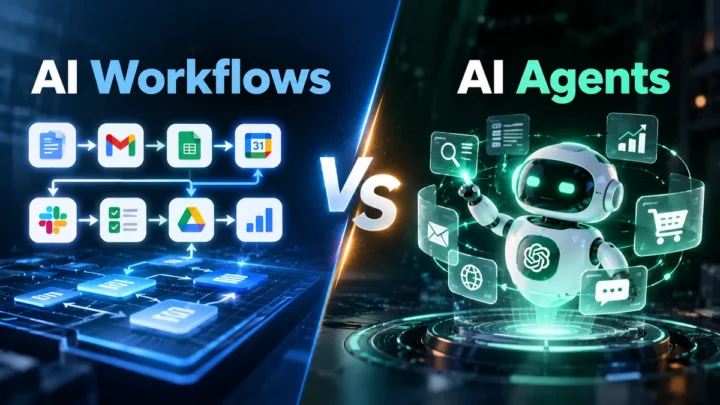
AI workflow automation becomes useful when AI handles the parts of a process that need interpretation. Automation can then handle the predictable actions that follow.
A small business does not need to automate everything.
It can start with one repetitive process. Then it can expand after measuring the results.
Common opportunities include lead handling, customer support, document processing, email management, reporting, and follow-ups. Current 2026 examples from automation platforms show similar patterns across sales, support, marketing, finance, and operations.
The important question is not:
“Where can we add AI?”
It is:
“Which part of this workflow actually benefits from AI?”
This article explores 12 practical examples.
Key Takeaways
- AI can handle interpretation inside repetitive business workflows.
- Traditional automation can handle predictable actions.
- Small businesses can start with one narrow workflow.
- Human review remains useful for important decisions.
- Good workflows have clear triggers and measurable outcomes.
- The best workflows solve a real business problem.
What Makes a Good AI Workflow?
Before looking at examples, understand what makes a workflow suitable.
A useful AI workflow usually has five parts:
Trigger → AI step → Decision → Automated action → Result
For example:
New customer email
↓
AI identifies the request
↓
Workflow selects the right process
↓
CRM creates a ticket
↓
Support team receives it
The AI does not need to control everything.
It handles the part that requires interpretation. Automation handles predictable actions.
This combination is becoming a common pattern in current AI automation systems. Zapier’s recent examples also emphasize combining AI decisions with deterministic automation.
1. Automate Lead Qualification
Many small businesses receive leads through forms, emails, and messages.
Someone then needs to read each inquiry.
They must decide whether the lead is relevant.
AI can handle the first layer of this process.
How the workflow works
New inquiry
↓
AI reads the message
↓
AI identifies the customer’s needs
↓
AI classifies the lead
↓
CRM records the information
↓
Sales team receives a notification
The AI might extract:
- Product or service needed
- Company size
- Budget information
- Location
- Purchase intent
- Requested timeline
The workflow can then route the inquiry.
A high-intent lead can reach sales quickly.
A lower-priority inquiry can enter a follow-up process.
Where humans fit
A salesperson can review important leads before taking action.
This reduces the risk of incorrect classification.
Lead qualification is one of the recurring AI automation examples appearing in current 2026 industry material.
2. Automate Customer Support Triage
Customer support teams often receive different requests in the same inbox.
One customer may need a refund.
Another may have a technical problem.
Another may ask about delivery.
AI can identify the type of request.
Example workflow
Customer email arrives
↓
AI reads the message
↓
AI identifies the issue
↓
Workflow assigns a category
↓
Support ticket is created
↓
Ticket reaches the right team
Possible categories include:
- Billing
- Technical support
- Order issue
- Refund request
- Product question
- General inquiry
The workflow can also identify urgent messages.
However, businesses should be careful with automatic decisions.
NIST recommends clearly defining human roles and responsibilities around AI systems. Some AI applications may need human oversight.
So an AI system can triage a refund request.
It does not necessarily need to approve the refund.
3. Turn Meeting Notes Into Tasks
Meetings create another repetitive administrative task.
Someone needs to review the discussion.
They then identify decisions and action items.
AI can reduce this manual work.
Workflow
Meeting ends
↓
Transcript becomes available
↓
AI summarizes the discussion
↓
AI identifies action items
↓
Workflow creates tasks
↓
Team members receive notifications
For example:
“John will prepare the pricing document by Friday.”
The workflow can create:
Task: Prepare pricing document
Owner: John
Deadline: Friday
The employee can then review the generated tasks.
This creates a useful balance.
AI handles the extraction.
The employee confirms the result.
- Extract Information From Invoices and Documents
Businesses often receive invoices as PDFs or email attachments.
Employees may manually copy information into accounting systems.
That process can become repetitive.
AI can extract information from the document.
Example
Invoice received
↓
AI reads the document
↓
Extracts vendor and invoice details
↓
Workflow checks required fields
↓
Information enters accounting software
↓
Employee reviews exceptions
The extracted information could include:
- Vendor name
- Invoice number
- Invoice date
- Amount
- Tax
- Due date
- Purchase details
This is particularly useful when documents do not follow one fixed format.
A simple rule-based system can struggle with inconsistent layouts.
AI can help interpret the content.
5. Classify and Organize Business Emails
A busy inbox can become a hidden productivity problem.
Employees may spend time sorting messages before responding.
AI can classify incoming emails.
Example workflow
New email
↓
AI reads the content
↓
Email receives a category
↓
Workflow applies the correct action
For example:
| Email type | Automated action |
| Sales inquiry | Send to sales |
| Support request | Create ticket |
| Invoice | Send to accounts |
| Partnership request | Notify marketing |
| Newsletter | Archive |
The business can also ask AI to extract important information.
For example:
“Customer wants 50 licenses for a team of 20.”
The workflow could extract:
Product: Software licenses
Quantity: 50
Team size: 20
The information can then move into the CRM.
6. Summarize Customer Feedback
Customer feedback often appears across different channels.
It may come from:
- Reviews
- Surveys
- Support messages
- Emails
- Social media
- Feedback forms
Reading everything manually takes time.
AI can organize the feedback.
Workflow
New feedback arrives
↓
AI reads the message
↓
AI identifies the topic
↓
AI detects common themes
↓
Workflow updates a report
For example, a business might discover:
Shipping: 34 mentions
Product quality: 21 mentions
Support: 17 mentions
Pricing: 12 mentions
The AI does not need to make the final business decision.
It helps the team see patterns faster.
7. Automate Appointment and Scheduling Requests
Scheduling can involve many small interactions.
A customer might write:
“Can we meet sometime next Tuesday afternoon?”
A traditional rule may struggle with that sentence.
AI can interpret the request.
Workflow
Customer sends request
↓
AI identifies preferred date and time
↓
Workflow checks calendar availability
↓
Available slot is selected
↓
Customer receives confirmation
The workflow can also notify the employee.
For sensitive meetings, the system can require approval.
That keeps the automation flexible without giving it unlimited control.
8. Draft Personalized Sales Follow-Ups
Sales teams often send similar follow-up emails.
The problem is not always writing the email.
The problem is remembering to send it.
AI can help with both parts.
Example
Deal reaches a specific stage
↓
Workflow retrieves CRM information
↓
AI drafts a follow-up
↓
Salesperson reviews it
↓
Email is sent
The AI can use information such as:
- Customer name
- Previous conversation
- Product discussed
- Customer requirements
- Next agreed step
This can make the draft more relevant.
But I recommend keeping a human approval step.
The salesperson should control important customer communication.
9. Create Internal Knowledge Answers
Employees often ask the same internal questions.
For example:
“Where can I find the latest pricing document?”
Or:
“What is our process for handling refunds?”
An AI workflow can search approved internal information.
Workflow
Employee asks a question
↓
AI searches approved information
↓
AI identifies relevant content
↓
Answer is generated
↓
Source information is shown
This can reduce repeated questions.
It can also help employees find information faster.
However, the underlying knowledge base needs regular updates.
An AI system cannot reliably answer questions from outdated information.
10. Turn Long Content Into Multiple Content Assets
Content teams can also use AI workflows.
Imagine a business publishes a detailed article.
The team may then need:
- Social posts
- Email copy
- Short summaries
- Video ideas
- LinkedIn posts
- Newsletter content
AI can help transform the original material.
Workflow
Article published
↓
AI reads the article
↓
AI extracts key ideas
↓
AI creates draft content
↓
Human reviews the drafts
↓
Approved content enters publishing workflow
The important part is the human review.
AI should not automatically publish everything it generates.
This workflow is particularly useful when the source material already has clear information.
11. Create Automated Business Reports
Small businesses often collect data from several systems.
Managers then spend time preparing weekly reports.
AI can help summarize the information.
Example workflow
Weekly reporting period ends
↓
Workflow collects business data
↓
AI identifies important changes
↓
AI creates a summary
↓
Report reaches the team
The report might highlight:
- Sales changes
- Lead volume
- Support requests
- Website traffic
- Campaign performance
- Outstanding tasks
The important distinction is this:
Automation gathers the data.
AI helps explain the data.
That makes the workflow more useful than simply generating another spreadsheet.
12. Automate Customer Onboarding
Customer onboarding often involves several repetitive steps.
A new customer may require:
- Account creation
- Welcome email
- Documents
- Internal tasks
- CRM updates
- Team notifications
- Follow-up reminders
AI can help interpret customer information.
Automation can then coordinate the process.
Example workflow
Customer signs up
↓
AI identifies customer type
↓
Workflow selects onboarding process
↓
Required tasks are created
↓
Team receives notifications
↓
Customer receives onboarding information
Different customer types can follow different paths.
For example:
Enterprise customer → Sales + implementation
Small customer → Standard onboarding
Existing customer → Account expansion process
This is where AI classification can make a workflow more flexible.
Which AI Workflows Should a Small Business Automate First?
Not every workflow deserves automation.
Start with processes that meet several conditions.
Look for tasks that:
- Happen frequently
- Consume employee time
- Involve repetitive information processing
- Have a clear outcome
- Use digital information
- Have measurable results
- Have manageable consequences if AI makes an error
This is consistent with current small-business automation guidance. Recent 2026 material emphasizes starting with narrow, visible workflows rather than attempting full business automation immediately.
Which Tasks Should Stay Human?
Some decisions should not be fully automated.
Be careful with workflows involving:
- Large financial transactions
- Legal decisions
- Sensitive employee decisions
- Account termination
- Security incidents
- Important customer disputes
- High-impact business decisions
AI can still assist with these tasks.
But assistance is different from autonomous decision-making.
NIST’s AI guidance emphasizes defining human roles and oversight based on the application and its risks.
A useful rule is:
Let AI prepare the decision when possible. Let people own the important decision.
A Simple Way to Find Your First AI Workflow
You can use this five-question test.
1. Does the task happen repeatedly?
If not, automation may provide little value.
2. Does the task involve messy information?
Examples include emails, documents, messages, and free-text forms.
If yes, AI may help.
3. Does someone currently interpret that information?
If yes, identify that step.
That may be the best place for AI.
4. Does a predictable action follow?
For example:
Create ticket
Update CRM
Send notification
If yes, automation can handle it.
5. Can someone check the result?
If yes, the workflow is easier to control.
AI Workflow Automation Decision Framework
Use this framework before building anything.
| Question | If yes | If no |
| Does it happen repeatedly? | Consider automation | Keep it manual |
| Is the input unstructured? | Consider AI | Rules may be enough |
| Does interpretation matter? | Add an AI step | Use normal automation |
| Is the result high-risk? | Add human review | More automation may be possible |
| Can you measure the result? | Test and improve | Define a metric first |
This prevents a common mistake:
Using AI simply because AI is available.
A simple automation rule can be better when the task is predictable.
AI Workflow Automation Is Not Full Business Automation
This distinction matters.
A business does not need an AI system to run everything.
A useful workflow might look like this:
AI understands
↓
Automation moves information
↓
Business system performs the action
↓
Human reviews important outcomes
That model is often easier to control.
It also makes it easier to identify where something went wrong.
How to Measure an AI Workflow
Don’t judge an automation by how impressive it looks.
Measure the result.
Useful metrics include:
Time saved
How much employee time does the workflow reduce?
Processing speed
How quickly does the workflow complete the task?
Accuracy
How often does the AI produce a usable result?
Human intervention
How often does someone need to correct the workflow?
Cost
How much does the workflow cost to operate?
Business outcome
Does it improve something that matters?
For example:
Faster lead response
or:
Fewer hours spent sorting support emails
The exact metric depends on the workflow.
What Can Go Wrong?
AI workflows can fail in several ways.
The AI may misunderstand the input.
It may classify something incorrectly.
It may extract incorrect information.
It may generate an unsuitable response.
The workflow itself may also contain a bad rule.
That is why testing matters.
NIST’s Generative AI Profile recommends managing risks across the AI lifecycle rather than treating AI deployment as a one-time technical task.
Before deploying a workflow, test:
- Normal cases
- Unusual cases
- Missing information
- Incorrect information
- Unexpected inputs
- High-risk situations
Then define what happens when the AI is uncertain.
Final Takeaway
AI workflow automation works best when AI handles interpretation and automation handles predictable actions.
A small business does not need dozens of AI workflows.
One useful workflow can be enough to start.
You could begin with:
New lead → AI qualification → CRM update → sales notification
Or:
Customer email → AI classification → support ticket → team notification
The goal is not to automate everything.
The goal is to remove unnecessary manual work while keeping people involved where judgment matters.
Start with one workflow.
Measure its results.
Fix the weak points.
Then build the next one.
Related guides: AI for Small Business: A Practical Guide to Tools, Automation and Privacy
Frequently Asked Questions
What is an example of AI workflow automation?
A customer email can trigger an AI workflow. AI can classify the request and extract important details. Automation can then create a support ticket and notify the appropriate team.
What is the easiest AI workflow for a small business?
Email classification, lead routing, meeting summaries, and document extraction are relatively clear starting points. The right choice depends on the business process and data involved.
Can AI automate customer support?
AI can automate parts of customer support. It can classify requests, summarize conversations, extract information, and draft responses. Businesses may still need humans for complex or high-impact cases.
Can AI workflows replace employees?
AI workflows can reduce repetitive work. They do not automatically replace the people responsible for oversight, decisions, customer relationships, or exceptions.
How do I choose an AI workflow?
Start with a repetitive task that consumes time. Check whether AI adds value to the interpretation step. Then identify predictable actions that automation can perform.
Should every business use AI automation?
No. Some tasks are too simple to justify AI. Traditional automation can be more appropriate when rules and inputs are predictable.
The bigger lesson
The most useful AI workflow is not necessarily the most advanced one.
It is the one that solves a specific, repeated problem.
That is why the practical path looks like:
Find the repetitive task → identify the AI step → automate the predictable actions → keep human oversight where needed → measure the result.
That approach gives small businesses a clearer path from AI experimentation to useful automation.