Physical Address
304 North Cardinal St.
Dorchester Center, MA 02124
Physical Address
304 North Cardinal St.
Dorchester Center, MA 02124
Imagine a customer sends a message to your business.
Someone needs to read it, understand what the customer wants, find the right information, and reply. If the same thing happens hundreds of times every day, your team can spend hours doing repetitive work.
Now imagine software handling much of that process on its own.
That’s where AI automation comes in.
AI automation combines artificial intelligence with automated workflows. It allows software to understand information, make decisions, and perform certain tasks without requiring a person to handle every step.
The idea isn’t completely new. Businesses have used automation for years.
What’s different now is the ability of AI systems to work with information that isn’t always neatly structured. They can understand natural language, classify information, summarize documents, identify patterns, and assist with decisions.
That makes automation useful for a much wider range of business tasks.
Traditional automation usually follows a set of predefined rules.
For example, a company might create a workflow like this:
If a customer fills out a form, send the information to the sales team.
The system doesn’t need to understand the customer’s message. It simply follows the rule.
AI automation adds another layer.
An AI system can examine the information first and decide what should happen next.
For example, a customer might write:
“I bought your software last week, but I can’t access my account.”
The system can identify the message as a support request, understand the problem, check available information, and route it to the appropriate process.
This is why AI automation can handle tasks that are harder to describe with simple yes-or-no rules.
Modern AI workflows can combine AI with existing automation systems, business data, applications, and human approval steps.
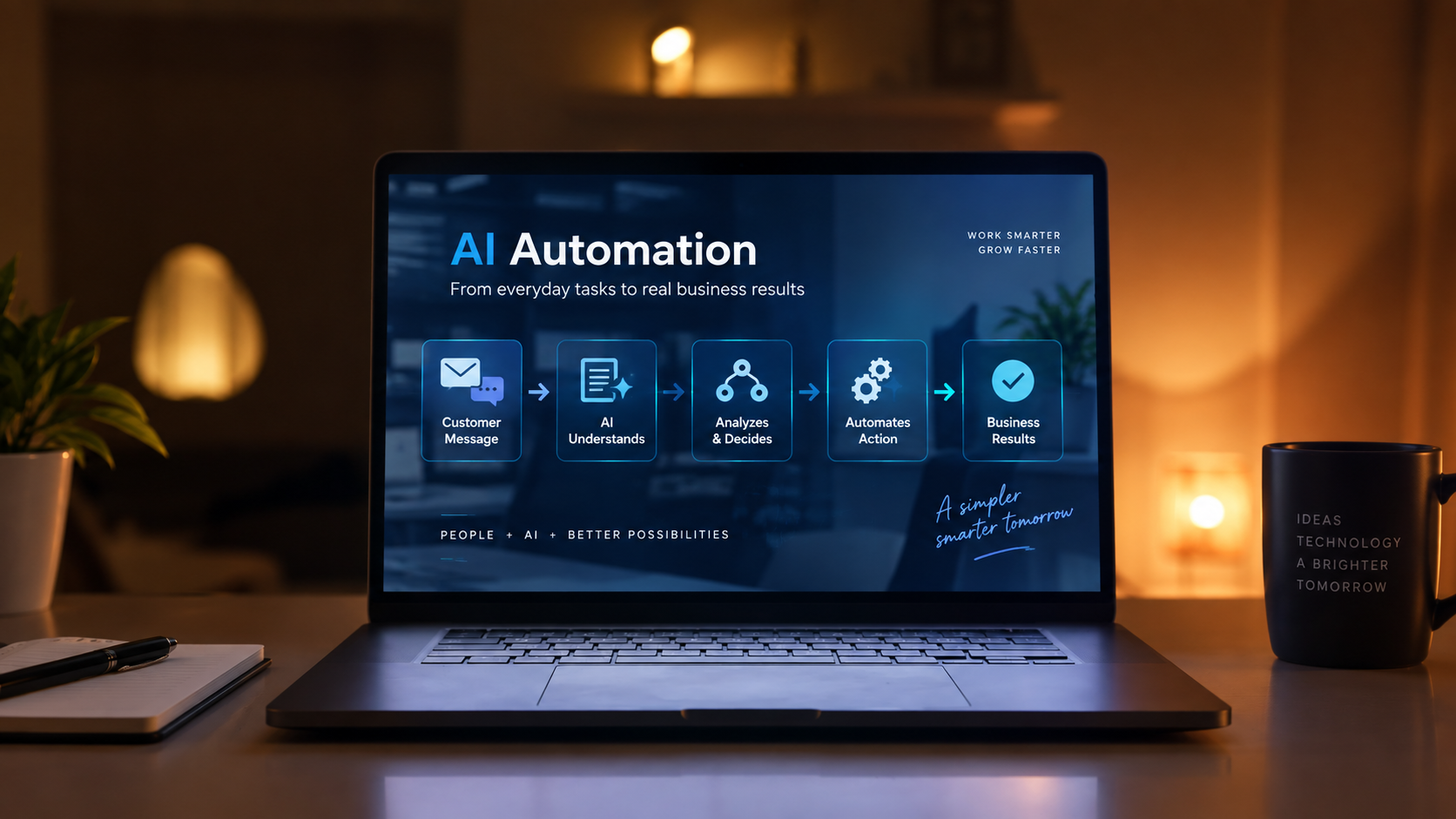
Think about AI automation as a chain of events.
Something happens first.
It could be:
The automation then processes that event.
AI can help understand the information and determine what it means. The system can then trigger the next action.
For example:
New email → AI reads it → identifies the request → categorizes it → sends it to the right team
A more advanced workflow might continue further:
Customer request → AI understands the problem → searches company information → prepares a response → human reviews it → response is sent
The exact process depends on the business and the tools involved.
Some workflows need AI only for one step. Others can use AI across several stages.
This is where the difference becomes easier to understand.
Traditional automation is usually predictable.
You tell the system:
“When X happens, do Y.”
AI automation can deal with more variation.
You can give the system information and ask it to understand what is happening before deciding what action should follow.
Consider customer emails.
A traditional system might move every email containing the word “invoice” into a particular folder.
An AI-powered system can look at the meaning of the message instead.
It may recognize that one customer is asking for a copy of an invoice, while another is reporting that an invoice contains the wrong amount.
Both emails contain similar words.
But they require different actions.
That’s where AI can make an automated workflow more flexible.
There isn’t one department where AI automation belongs.
Businesses can use it wherever employees spend significant time handling repetitive information or processes.
Customer Support
A business may receive hundreds of similar questions every day.
AI can help classify those requests and provide answers to common questions. More complicated cases can be passed to a human support agent.
Microsoft describes customer service as one of the areas where AI automation can handle routine inquiries while allowing employees to focus on more complex issues.
Sales
Sales teams often spend time organizing leads, updating CRM records, and preparing follow-ups.
AI automation can help classify incoming leads, extract information, update systems, and trigger follow-up actions.
The salesperson can then spend more time actually speaking with potential customers.
Finance
Finance teams deal with large amounts of documents and structured information.
Automation can help with tasks such as invoice processing, matching information, and reporting. AI can also help process documents that aren’t perfectly structured.
Marketing
Marketing teams have plenty of repetitive work.
They may need to organize customer data, summarize campaign results, classify leads, prepare reports, or personalize communication.
AI can assist with several of these tasks while automation connects the individual steps.
IT and Operations
IT teams receive large numbers of support requests.
An automated system can identify common problems, suggest solutions, perform certain checks, or route the issue to the right person.
Microsoft also identifies IT support and operational workflows as practical areas for AI-assisted automation.
This is probably the first question many people have.
The simple answer is not necessarily.
AI automation is most useful when it takes care of repetitive work and allows people to focus on tasks that require judgment, creativity, communication, or responsibility.
Consider a customer support team.
An AI system may handle a simple request such as:
“How can I reset my password?”
But a customer reporting a complicated billing problem may still need a human.
A good automated system should know when it can handle a task and when a person needs to step in.
This human role becomes particularly important when decisions involve sensitive information, unusual situations, or significant consequences.
Saving time is an obvious benefit.
But that’s not the only reason businesses are interested in it.
Automation can also make processes more consistent.
Imagine employees manually entering information from hundreds of documents. Different people may enter information in different ways. Mistakes can also happen when the work becomes repetitive.
A well-designed automated workflow can perform the same steps consistently.
It can also connect different systems.
For example, a new customer might enter information through a website. That information could then move into a CRM, trigger an internal notification, create a task for the sales team, and start a follow-up workflow.
The employee doesn’t have to move the information manually between every system.
Tools such as Microsoft Power Automate already combine workflow automation with AI capabilities and connections to business applications.
This is something businesses should understand before jumping into it.
AI can make mistakes.
An automated workflow can also be badly designed.
If a business automates a broken process, it may simply make the broken process run faster.
There’s also the question of data.
Businesses need to understand what information their AI systems can access, where that information goes, and who can use it.
Security and privacy become especially important when automation involves customer information, financial data, employee records, or confidential company documents.
That’s why successful AI automation usually starts with a real business problem, rather than simply adding AI because it is popular.
Microsoft recommends starting with high-volume, repetitive tasks, testing a smaller pilot, measuring the results, and expanding gradually.
You don’t need to automate everything.
In fact, trying to automate everything at once can create unnecessary complexity.
Start by looking at the work your employees repeat every day.
Ask a few simple questions:
What takes a lot of time?
What happens repeatedly?
Which tasks follow a reasonably clear process?
Where do people repeatedly copy information between systems?
Which tasks don’t require constant human judgment?
These questions can reveal good opportunities for automation.
For example, if your sales team spends two hours every day sorting incoming leads, that could be a good place to start.
If your employees spend hours answering the same basic customer questions, that could be another.
The goal isn’t to remove people from the process.
The goal is to remove unnecessary manual work.
AI automation is moving beyond simple task automation.
AI agents are now being used to handle multi-step processes. Instead of responding to a single request, an AI system can potentially understand a goal, use connected tools, perform several actions, and involve a human when necessary.
That could change how businesses think about software.
Instead of opening five different applications and completing every step manually, employees may increasingly interact with systems through natural language.
But that future will still require human oversight.
The businesses that benefit most won’t necessarily be those that automate the most.
They’ll be the ones that understand what should be automated and what should remain human.
AI automation is essentially about making software more capable of handling real-world work.
Traditional automation follows predefined instructions.
AI can add the ability to understand information, handle variation, and support decisions.
That opens the door to automating tasks that were previously difficult to automate.
But AI automation isn’t about replacing people or adding AI to everything.
It’s about finding the right tasks, designing sensible workflows, and letting technology handle work that doesn’t need constant human attention.
For a business, that’s where the real value begins.