The short answer
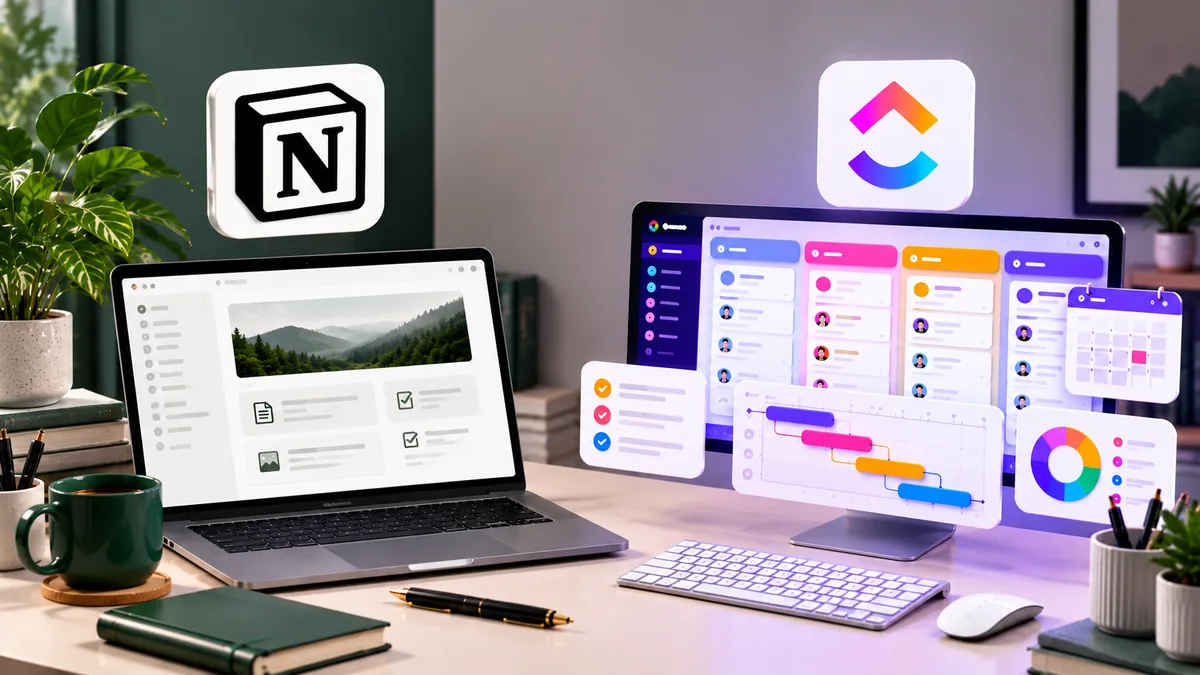
Notion is better if your work is mostly writing, planning and organising information. It is a flexible workspace for notes, docs, client wikis and simple project boards, and it is calmer and easier to enjoy.
ClickUp is better if your work is mostly managing tasks, deadlines and a team. It is built for project management, with time tracking, workload views, Gantt charts, dashboards and automations ready to use.
In one line: Notion is a flexible notebook that can do tasks; ClickUp is a task manager that can do docs.
- Solo freelancer, writer or consultant: start with Notion.
- Small team juggling many projects and deadlines: start with ClickUp.
- Tight budget with a team: ClickUp is cheaper per user on paid plans and has a more generous free plan for teams.
Prices in this article are in US dollars, taken from each company’s official pricing page on 3 October 2026. Check the live page before you buy.
Notion vs ClickUp at a glance
| Feature | Notion | ClickUp |
| Best at | Docs, notes, wikis, flexible databases | Tasks, projects, deadlines, team workload |
| Free plan | Yes, best for individuals | Yes, unlimited members, 60 MB storage |
| Paid plans from | $10/member/month billed annually (Plus) | $7/user/month billed annually (Unlimited) |
| Task views | Board, list, table, calendar, timeline | List, board, calendar, Gantt, workload and more |
| Time tracking | Not built in (needs an integration) | Built in |
| Docs and wikis | Excellent | Good |
| Automations | Basic database automations | Extensive |
| Learning curve | Moderate (blank page to start) | Steep (many features) |
| AI | Full Notion AI on Business plan | ClickUp Brain add-on from $9/user/month |
| Feel | Clean and calm | Powerful but busy |
Pricing
Both tools have a free plan, but they suit different people. Notion’s free plan is generous for one person, while ClickUp’s free plan allows unlimited team members.
| Plan | Notion | ClickUp |
| Free | $0. Limited blocks once you have 2+ members, 5 MB file uploads, 10 guests, 7-day page history | $0. Unlimited members, 60 MB storage, trial access to Gantt charts and dashboards |
| Entry paid plan | Plus: $10 per member/month annually, $12 monthly | Unlimited: $7 per user/month annually, $10 monthly |
| Mid plan | Business: $20 per member/month annually, $24 monthly; includes full Notion AI | Business: $12 per user/month annually, $19 monthly |
| AI | Trial on Free and Plus; full AI on Business | Add-on: Brain AI $9/user/month, or Everything AI $28/user/month |
What this means in practice:
- Solo freelancer: both free plans can work. Notion’s is better for notes and docs; ClickUp’s 60 MB storage limit fills up quickly if you attach files.
- Team of 5 on the entry paid plan: about $50 a month on Notion Plus vs about $35 a month on ClickUp Unlimited, both with annual billing. Paying monthly, it is $60 vs $50.
- If you want AI: Notion bundles it into the Business plan ($20 per member a month annually, $24 monthly). On ClickUp, it costs extra on top of the plan, so add $9 per user.
Task and project management
ClickUp wins this round clearly. Project management is what it was built for.
ClickUp gives you tasks, subtasks, checklists, dependencies, priorities, assignees, due dates and recurring tasks out of the box. You can switch the same project between list, board, calendar, Gantt and workload views. Built-in time tracking, sprint tools and dashboards let a team lead see who is overloaded and what is late. Automations handle routine steps, like moving a task or notifying someone when a status changes.
Notion handles tasks through databases. You can build a solid task board with statuses, dates, assignees and calendar or timeline views, and Notion’s templates make this quicker. It works well for a freelancer tracking client projects or a small team with simple workflows. Notion databases now support subtasks and dependencies, even on the free plan, but built-in time tracking and team workload planning are missing, so you need third-party tools for those.
Verdict: for heavy task management with deadlines and several people, choose ClickUp. For light project tracking alongside your notes, Notion is enough.
Docs, notes and knowledge base
Notion wins this round. Writing and organising information is where it shines.
Notion pages are flexible building blocks. You can mix text, headings, checklists, images, embeds, tables and linked databases on one page, then nest pages inside pages to build a client portal, a content calendar, a company wiki or a personal second brain. Pages look clean and are pleasant to share with clients, and you can publish a page to the web in a few clicks.
ClickUp also has Docs, with rich formatting, nested pages and the useful ability to link docs to tasks. For project notes and meeting minutes it works well. But as a full knowledge base or a place to write long-form content, it feels less polished and more cluttered than Notion.
Verdict: if a big part of your work is writing, planning content or keeping client and team information organised, Notion is the better home.
Ease of use and learning curve
Both tools take some time to learn, but in different ways.
Notion starts simple but asks you to build. A new workspace is close to a blank page. Typing notes is instant, but creating a proper task system means setting up databases, properties and views. Templates help a lot here; many freelancers start with a ready-made client or project template and adjust it.
ClickUp gives you everything at once. Its features are ready from day one, but the sheer number of settings, views and options can feel overwhelming. New users often spend the first week hiding features they don’t need. Once set up, though, daily task work is fast.
Verdict: Notion is easier to start and more pleasant for solo use. ClickUp takes longer to learn but asks for less building once you understand it.
AI features, integrations and mobile apps
- Both tools now lean heavily on AI. Notion’s Business plan includes full Notion AI, an agent that can complete multi-step tasks, AI meeting notes and search across your connected tools. Free and Plus users only get a trial. ClickUp sells its AI, called ClickUp Brain, as an add-on: Brain AI at $9 per user a month, or the larger Everything AI bundle at $28 per user a month. If AI is important to you, Notion Business is the simpler, bundled option.
Integrations. Both connect with the tools freelancers and small teams use most, including Google Drive, Slack, GitHub, Zoom, Figma and calendars, and both work with Zapier and Make for anything else. ClickUp has more native integrations aimed at project work and time tracking; Notion’s strength is embedding almost anything inside a page.
Mobile apps. Both have iPhone and Android apps. Notion’s is better for reading and quickly adding notes; ClickUp’s is better for checking and updating tasks on the go. Neither is ideal for heavy setup work on a phone.
Verdict: a tie overall. Notion is better value for AI on its Business plan; ClickUp is stronger for task-related integrations.
Which should you choose?
| Your situation | Best pick | Why |
| Solo writer, designer or consultant | Notion | Notes, client docs and simple project tracking in one calm space |
| Content creator planning posts and videos | Notion | Flexible content calendars and idea databases |
| Freelancer billing by the hour | ClickUp | Built-in time tracking |
| Small team with many projects and deadlines | ClickUp | Workload, Gantt, dashboards and automations |
| Agency managing client work | ClickUp | Assignees, dependencies and visibility across projects |
| Team that needs a wiki or knowledge base | Notion | Best docs and page organisation |
| Team on a tight budget | ClickUp | Cheaper paid plan, free plan allows unlimited members |
Can you use both? Yes, and many teams do: ClickUp for tasks and deadlines, Notion for docs and the team wiki. For a freelancer or a team under 10 people, though, one tool is usually simpler and cheaper.
If you also need to manage clients, proposals and invoices, a project tool alone won’t cover it. See our guide to the best CRM for freelancers and small businesses.
Related guides: The Small Business Software Stack: What You Actually Need (and What It Costs)
Comparing more workspace tools? These may help:
- Notion vs Google Docs: which is better for your work?
- Best free help desk software for small businesses
Frequently asked questions
Is Notion or ClickUp better for freelancers?
It depends on your work. Notion suits freelancers who mostly write, plan and organise client information. ClickUp suits freelancers who juggle many tasks and deadlines, or who bill by the hour and want built-in time tracking.
Is ClickUp cheaper than Notion?
On paid plans, yes. ClickUp Unlimited costs $7 per user a month with annual billing, compared with $10 per member a month for Notion Plus, also billed annually. On monthly billing, it is $10 vs $12. ClickUp’s free plan also allows unlimited members, though storage is limited to 60 MB.
Can Notion replace ClickUp for project management?
For simple projects, yes. Notion databases can handle task boards, calendars and timelines. For complex projects that need time tracking, workload planning, Gantt charts and automations, ClickUp does much more out of the box.
Which one has better AI?
Notion includes full AI in its Business plan at $20 per member a month billed annually, or $24 monthly. ClickUp charges for AI separately, starting at $9 per user a month. Both can draft content, summarise and answer questions about your workspace.
Can I move from one to the other later?
Yes. ClickUp can import from Notion, and Notion can import from many tools and CSV files. Expect to tidy up formatting and views after moving.
Is either tool good for clients to use?
Notion is better for sharing polished pages with clients, such as a project hub or an onboarding guide. ClickUp lets you invite guests to follow task progress, which works well when clients need to approve work.
Final verdict
Choose Notion if your work revolves around ideas, writing and organised information. It is the best all-in-one workspace for solo freelancers, creators and teams that need a strong wiki, and its Business plan bundles full AI.
Choose ClickUp if your work revolves around tasks, deadlines and people. It is the stronger project manager for small teams and agencies, with time tracking, workload views and automations built in, at a lower price per user.
| Category | Winner |
| Task and project management | ClickUp |
| Docs and knowledge base | Notion |
| Ease of starting | Notion |
| Price for teams | ClickUp |
| AI value | Notion (bundled on Business) |
| Best for solo freelancers | Notion |
| Best for small teams | ClickUp |
Both have free plans, so the best way to decide is to try your real work in each for a week. The one you open without thinking about it is the right one.